API integration with Hostaway
How to find your Account ID and API Key.
Go to your Hostaway account to copy your API Key.
Log in to Hostaway with your credentials.

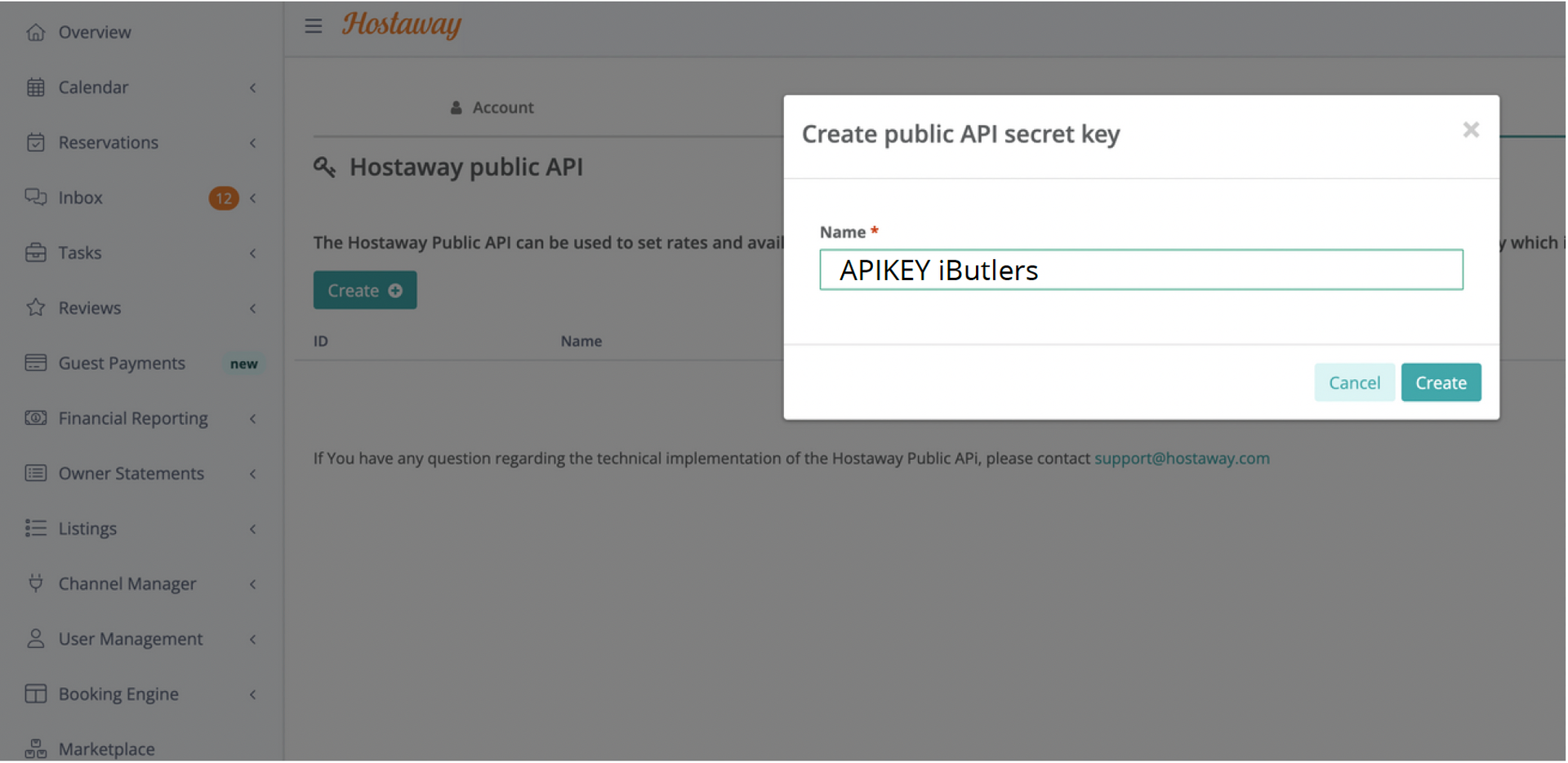
Then go to Settings / Hostaway API and click the “Crear” (Create) button.
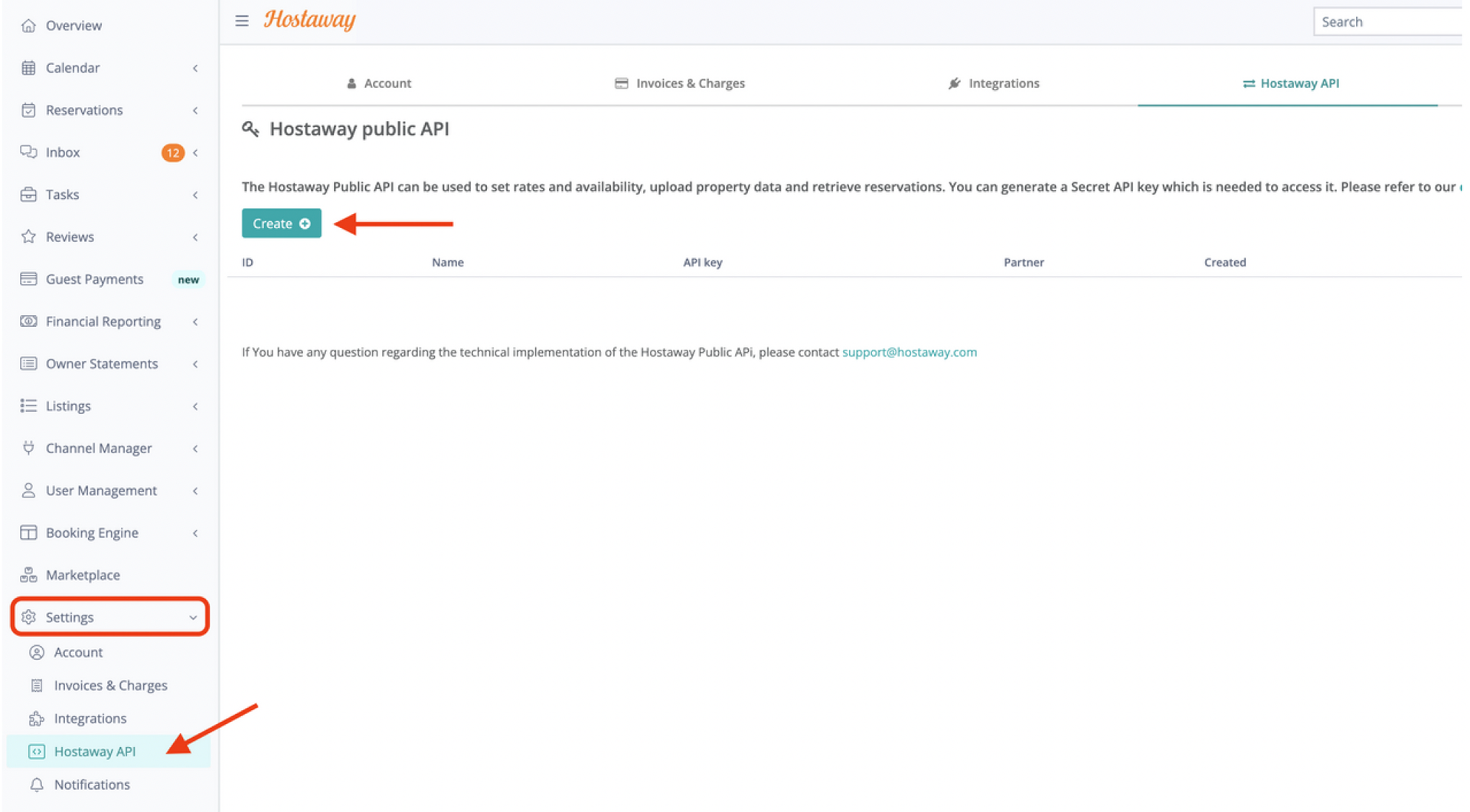
You will need to give it a name so you do not confuse it with any other API keys you may have.
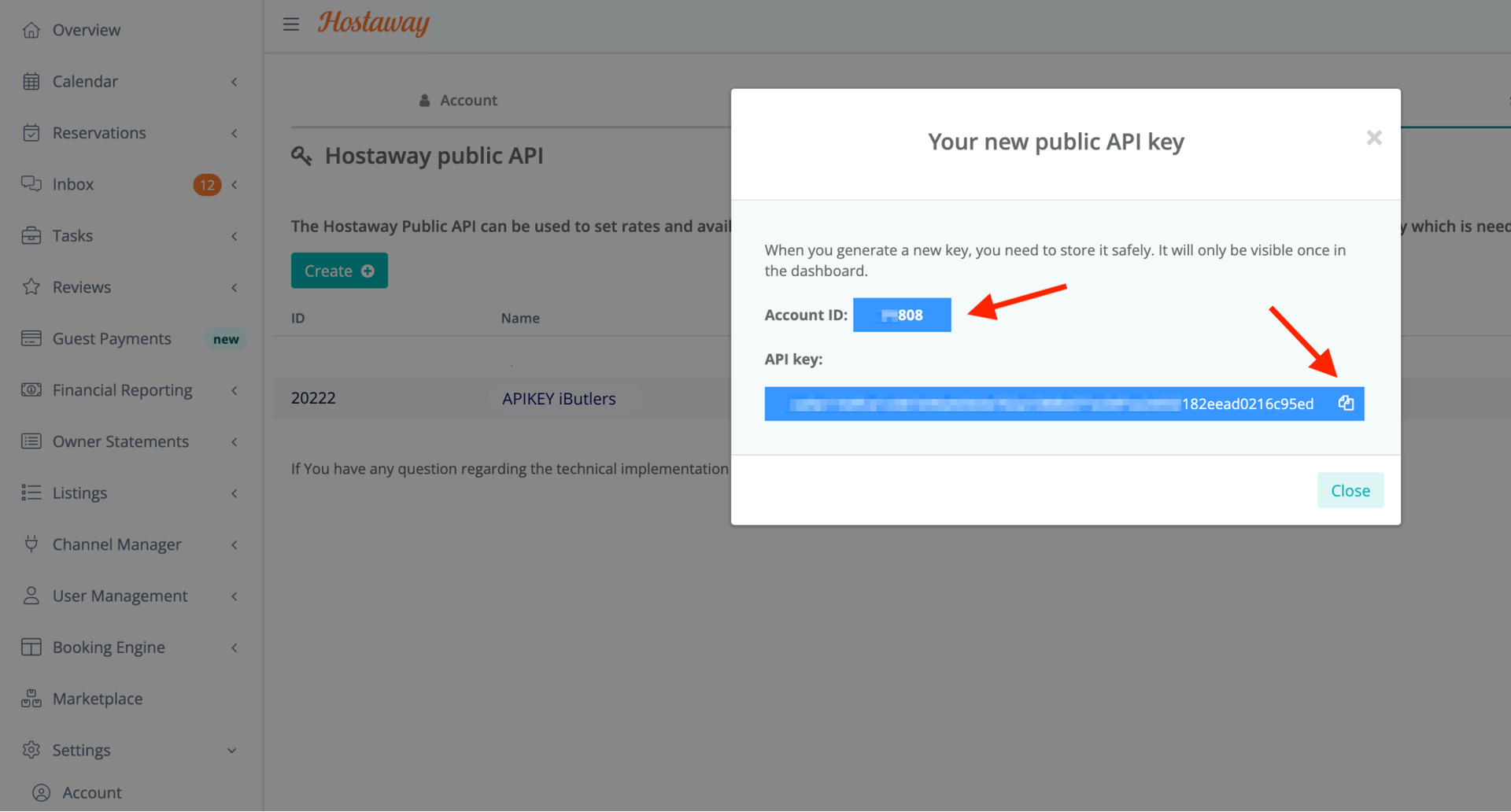
Once created, you can copy the Account ID and API Key: