Do you manage separate rooms in the same property or building? iButlers has the perfect solution for you. SES Hospedajes, Mossos or Ertzaintza.
If you manage separate rooms or dwellings within the same property — such as small hotels, guesthouses or buildings with several flats — you will often encounter a common problem:
booking platforms do not allow a different check-in link to be sent for each unit.
This can cause confusion, errors and too much manual work.
To address this use case, iButlers includes combined check-in links.
Use case: one link for several rooms
Imagine accommodation with several rooms that are rented out independently:
- Each guest has their own booking
- All bookings are for the same building
- The booking platform only allows you to send a shared link
In this situation, manually sending different links is not practical.
This is where combined check-in links make the difference.
What are combined check-in links?
Combined check-in links allow you to create a single check-in link that groups together several rooms or properties within the same building.
It is very simple to use:
- All guests receive the same link
- When the link is opened, the system:
- automatically identifies the guest’s booking
- identifies which room or property is assigned to them
- If more than one matches, the guest can choose which one is theirs.
- The guest only sees their own check-in process.
This makes check-in clear, automatic and error-free.
When should you use combined check-in links?
Combined check-in links are ideal if:
- You have several rooms or homes within the same property
- Each unit is let separately
- You use platforms such as Booking that do not allow separate links for each room
- You want to simplify check-in for yourself and your guests
⚠️ Important:
If you only manage entirely separate, unrelated properties, you do not need this feature.
How do you use combined check-in links?
- First, create a separate accommodation unit for each room.
- Go to “Gestión avanzada > Supraenlaces” (Advanced management > Combined check-in links).
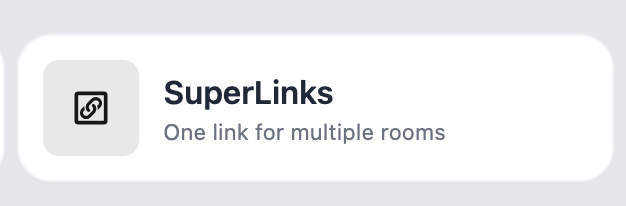
- Enter a name to identify the group of properties (for example, Hotel Poseidon).
- Select the rooms that belong to the same property.
- If you enable “Permitir selección de vivienda por el huésped” (Allow the guest to select a property), guests will be able to choose a room/property during booking if more than one is available for their dates. If this option is disabled, the system will automatically assign an available property that matches the booking dates.
- Click Create link (‘Crear enlace’) to save the configuration.
💡 iButlers, the best solution
Automate compliance with Royal Decree 933 2021 and the GDPR without complications. We collect only the data required by law, without storing copies of documents.
- Legal and secure identity verification
- Automatic submission of reports to the Ministerio del Interior
- Protecting your guests' privacy
✅ Visit our website or email contacto@ibutlers.com