iButlers integration with TURESPAZO (Xunta de Galicia) – TURESPAZO is MANDATORY for VUT

At iButlers, we have implemented a feature for automatic submission of occupancy data to the TURESPAZO platform, managed by the Agencia de Turismo de Galicia (Xunta de Galicia). Use of TURESPAZO is mandatory for all holiday rental properties (VUT) registered in Galicia.
With this integration, you will not have to submit quarterly occupancy data manually, as iButlers will send it automatically to TURESPAZO whenever a guest registration report is successfully generated.
TURESPAZO – MANDATORY for holiday rental properties (VUT) in GALICIA – iButlers step-by-step guide
How does it work?
Once the integration is configured, iButlers will detect whether your accommodation is linked to TURESPAZO. If it is, whenever a guest registration report is created, iButlers automatically sends the required details to TURESPAZO.
When you confirm the creation of the guest registration report, a message will tell you whether the submission was successful:
✅ “Los datos de ocupación han sido notificados correctamente a TURESPAZO.” (“The occupancy data has been successfully reported to TURESPAZO.”)
If an error occurs during submission, you will receive a notification:
⚠️ “No se ha podido notificar los datos de ocupación a TURESPAZO.” (“The occupancy data could not be reported to TURESPAZO.”)
In that case, you can retry the submission manually from the completed guest registration reports section.
Retrying after an error
If an automatic submission to TURESPAZO fails for any reason, iButlers lets you retry it manually:
- Open the list of completed guest registration reports.
- Identify the guest registration report with the reporting error.
- Click the “Reenviar a TURESPAZO” (Resubmit to TURESPAZO) button.
This lets you check that all the information required by the Xunta de Galicia has been submitted correctly.
Setting up the integration
To enable automatic submissions to TURESPAZO from iButlers, you need:
- An active TURESPAZO account.
- Personalised integration token (available from your TURESPAZO account).
- ‘Código de Signatura’ (Registration reference code) for each of your registered properties.
How can you obtain these details?
- The personalised integration token and the registration codes (‘signatura’) must be obtained directly from the TURESPAZO platform.
- If you are unsure, you can contact TURESPAZO support for guidance on how to find them.
Add the details to iButlers
Once you have the token and registration reference codes, follow these steps in iButlers:
- Open the property’s settings and go to its “Turespazo (Galicia) código de signatura (TURESPAZO)” (TURESPAZO registration reference code for Galicia) section.
- Tap “editar” (edit) and add the “Token único de usuario” (unique user token) and “Signatura” (the regional licence number).
- Check that all accommodation is configured correctly. If any is missing, edit it to enter its ‘signatura’ registration code, then synchronise again.
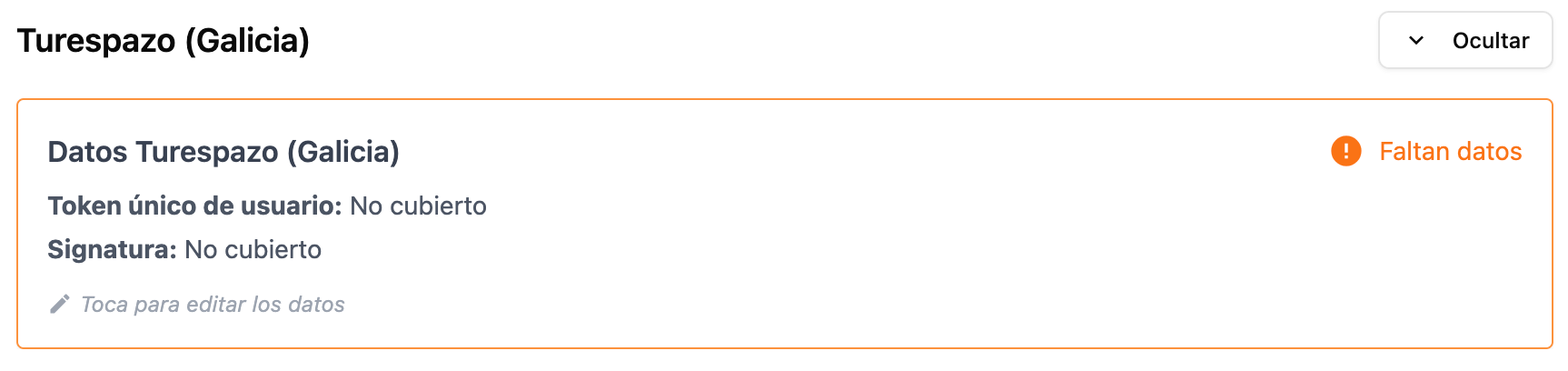
Once the integration is configured correctly, iButlers will automatically send occupancy data to TURESPAZO whenever a guest registration report is created.
With this feature, iButlers helps you comply with current legislation easily, saving you time and avoiding errors when reporting occupancy.
If you need help setting up your integration, our support team is on hand to assist you.