Smoobu integration with iButlers

The integration between iButlers and Smoobu lets you automatically synchronise bookings, create the check-in forms and send links to guests automatically, without manual tasks.
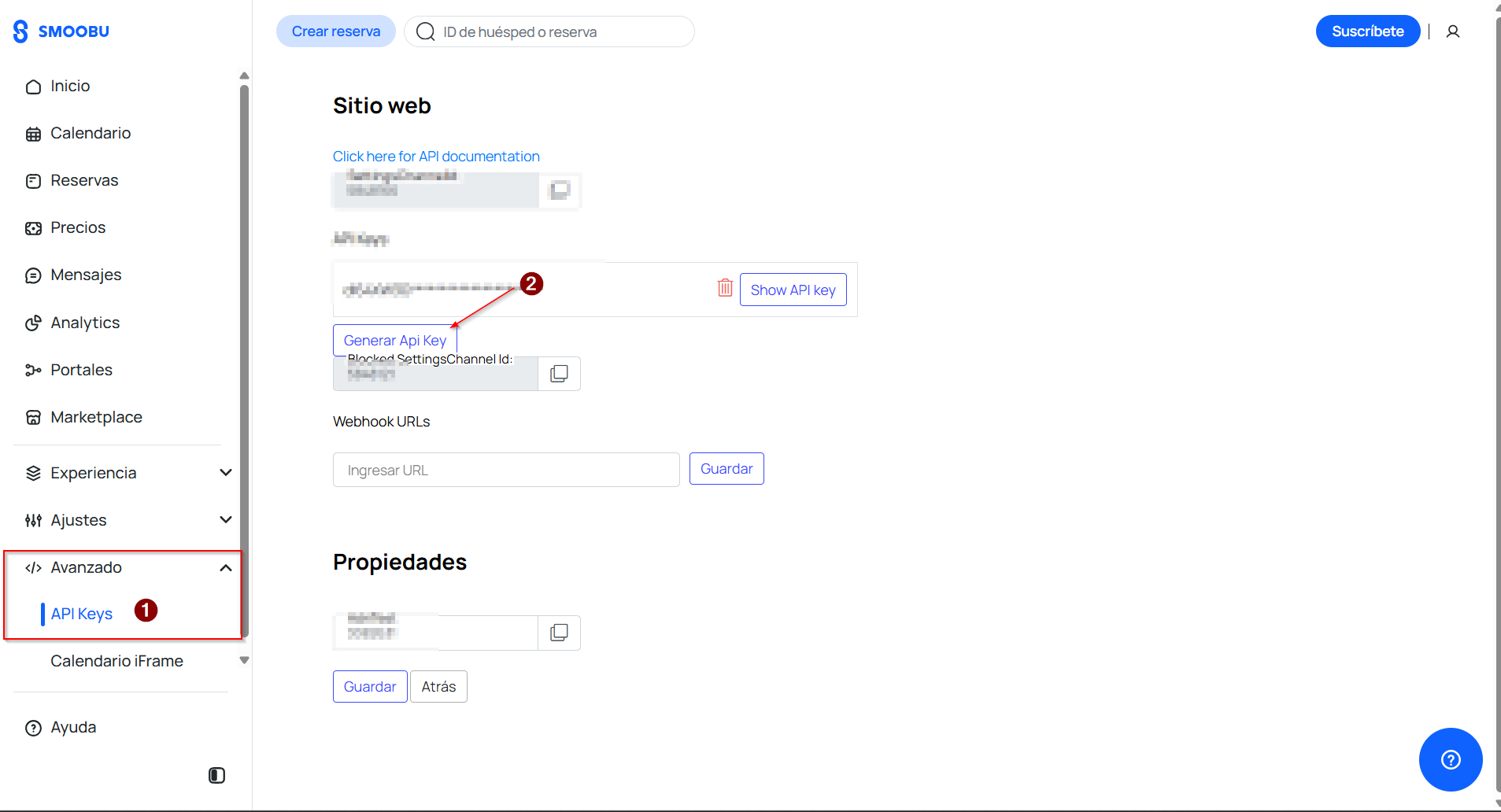
Step 1: Log in to Smoobu and click ‘avanzado’ (advanced) in the left-hand menu, then ‘API Keys’. Next, click ‘Generar API Key’ (Generate API key), as shown in the image below.
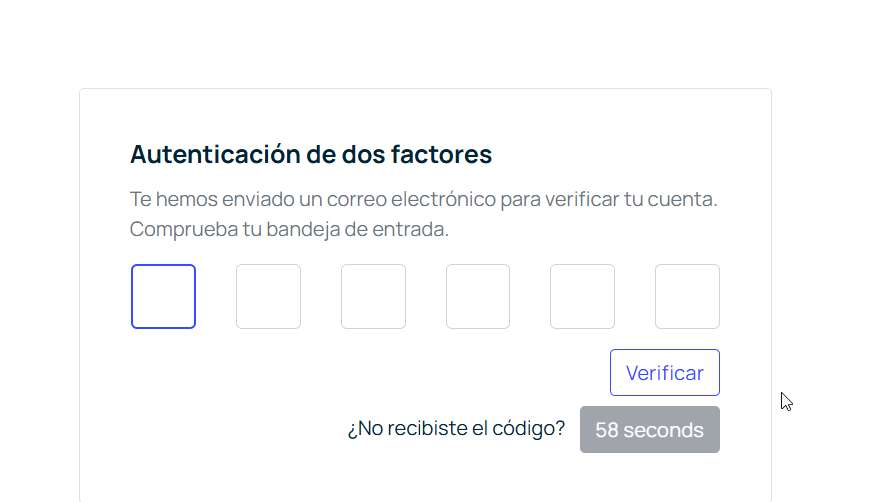
Step 2: Enter the verification code sent to the email address you used to register with Smoobu.
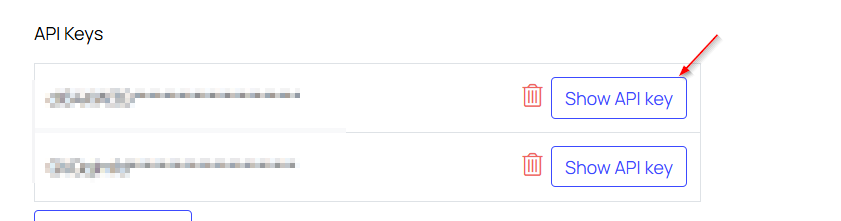
Step 3: Copy the API key to enter it in iButlers next. To copy it, click ‘Show Api Key’ or ‘Mostrar Api Key’, as shown in the image below. You may be asked to check your email again. Copy the code.
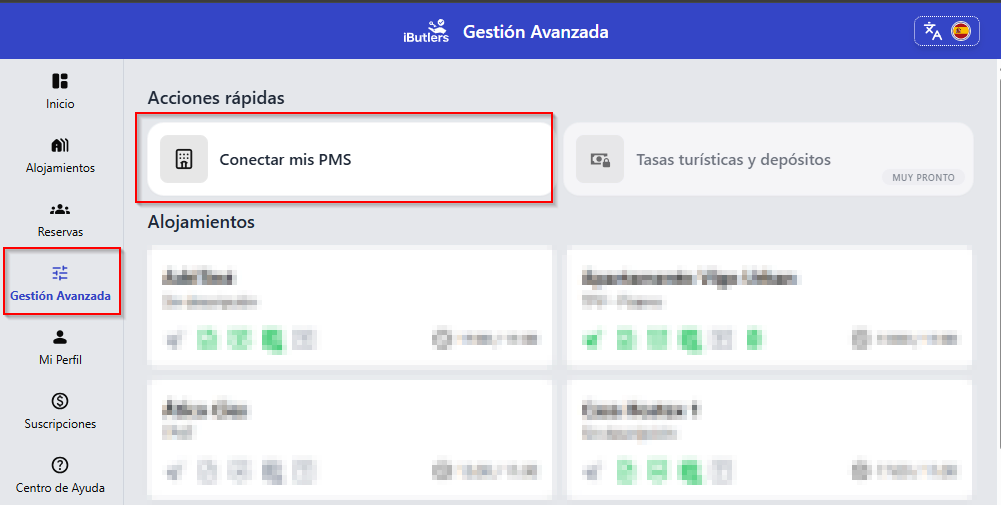
Step 4: On the iButlers website, go to ‘Gestión avanzada’ (Advanced management) in the sidebar menu and click ‘conectar PMS’ (connect PMS), as shown in the image below.
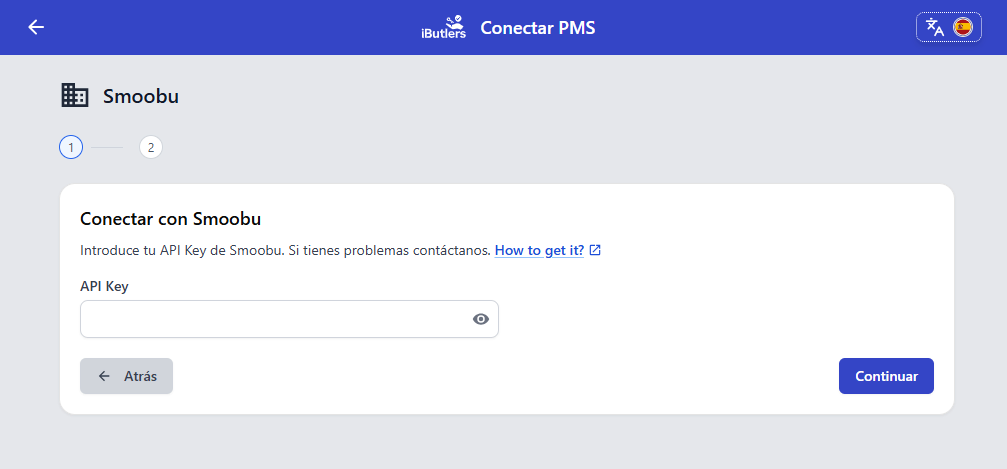
Step 5: Select SMOOBU from the list and you will see a screen like the one below. Enter the API key you copied earlier.
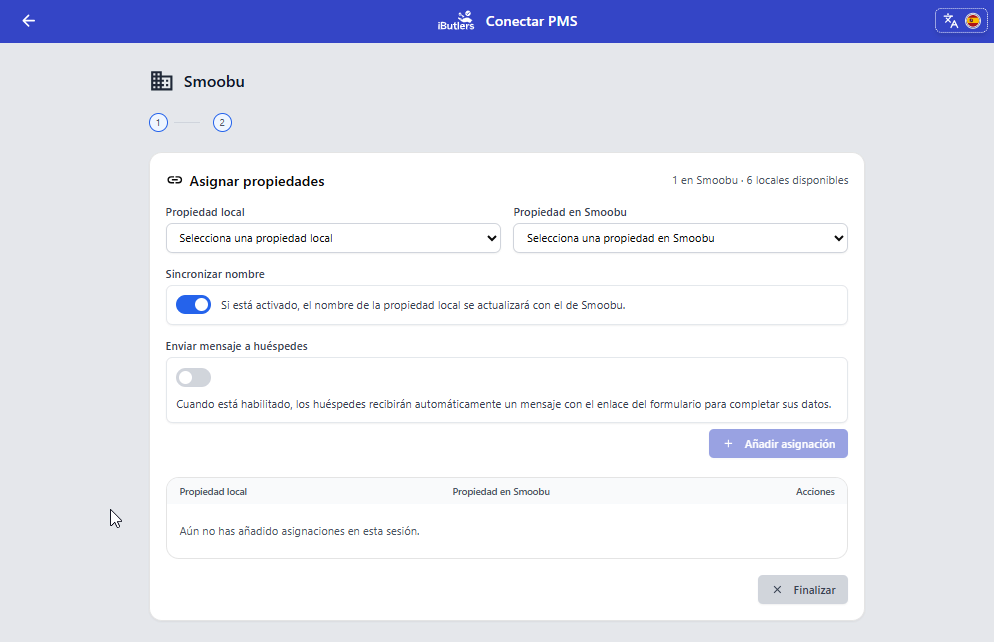
Step 6: Match properties in SMOOBU to properties in iButlers. Choose whether the link to the form should be sent automatically for new bookings (you can change this later).
⚠️ Important recommendation
If you have Smoobu connected to iButlers through this integration, you must NOT use iCal feeds, as this could cause duplicate bookings.
💬 Need help?
If you have any questions during the process, the iButlers team will be happy to help you.
💡 iButlers, the best solution
Automate compliance with Royal Decree 933 2021 and the GDPR without complications. We collect only the data required by law, without storing copies of documents.
- Legal and secure identity verification
- Automatic submission of reports to the Ministerio del Interior
- Protecting your guests' privacy
✅ Visit our website or email contacto@ibutlers.com