Automate Airbnb messages to collect details for SES Hospedajes
6 Nov 2024
🔍 Find out here how to do it for Booking
To automatically send your Airbnb guests a message containing the iButlers link for registering their details with SES Hospedajes, follow these steps:
Automate an Airbnb message for SES Hospedajes - iButlers.com
⚠️ Warning: Remember that each property has a unique link for the form.
1 – Log in to your host account on Airbnb
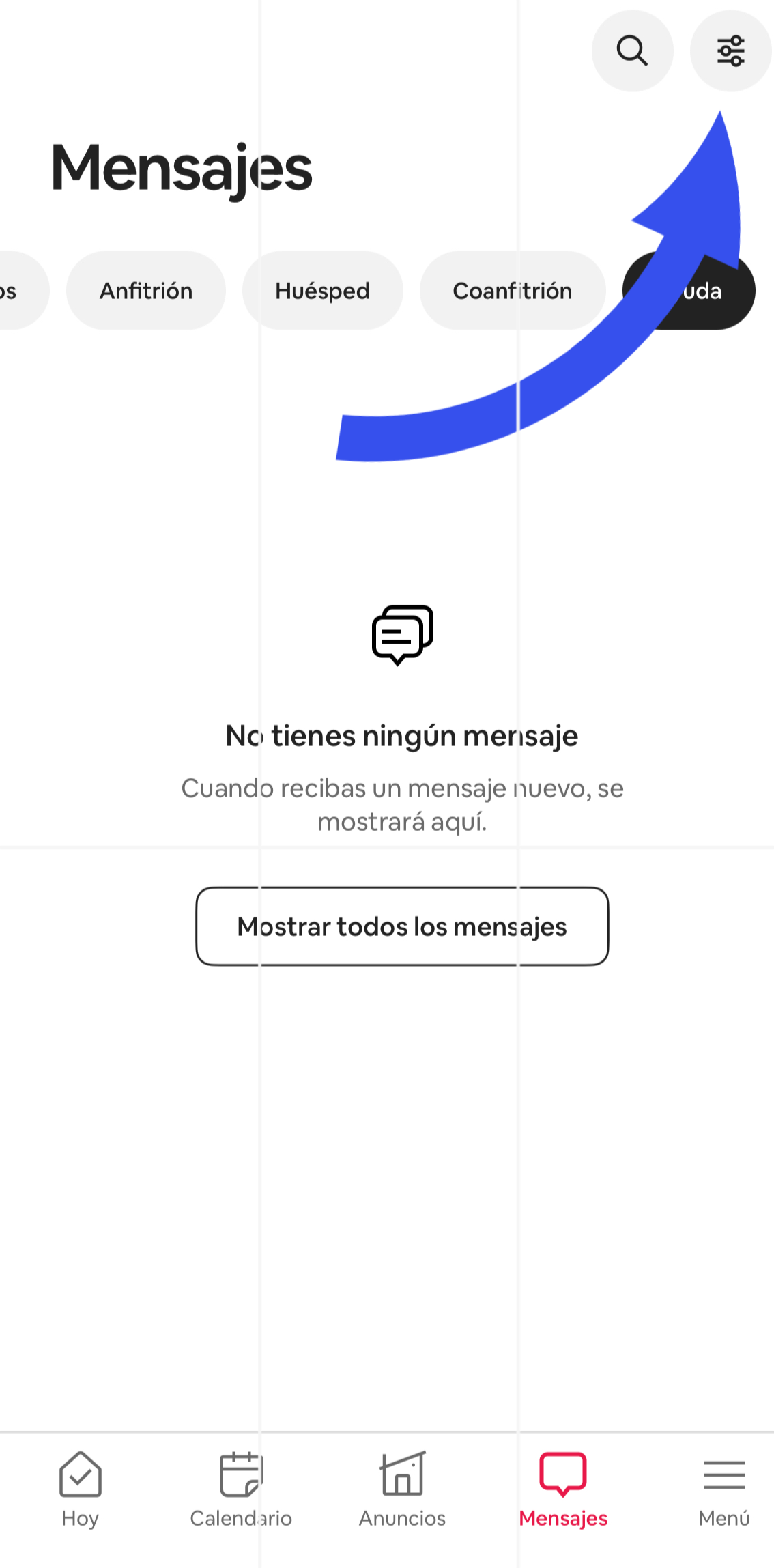
2 – Click ‘Mensajes’ (Messages) in the main menu.
3 – Click the ‘ajustes’ (settings) button next to the search button:
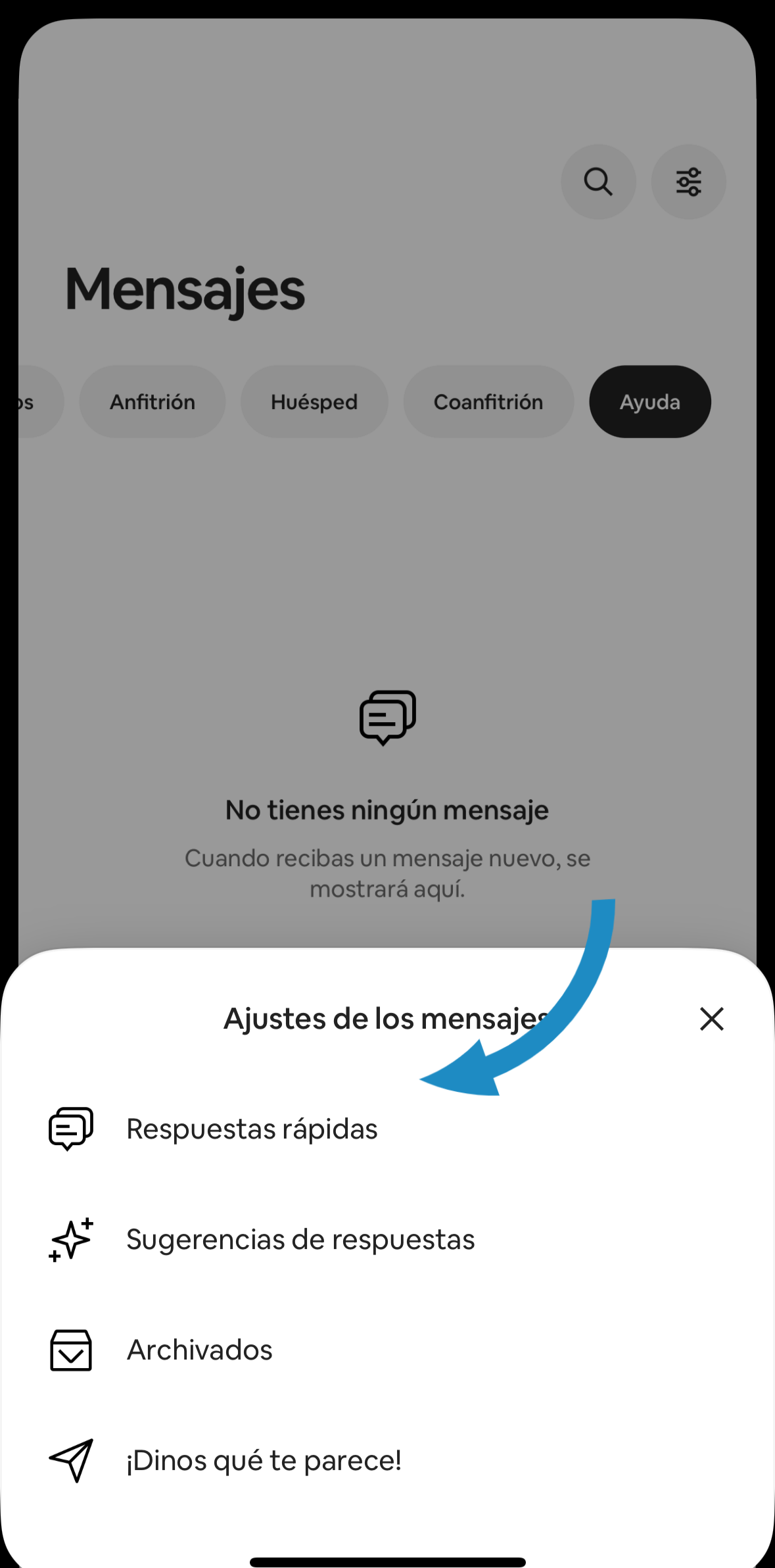
4 – Click ‘Respuestas rápidas’ (quick replies):
5 – Create a new quick reply by clicking ‘Crear’ (Create).
6 – Enter a name, for example ‘iButlers Automatic Registration Link’.
7 – In the message, write:
To comply with current regulations, all guests must enter their details in the following form:

[Enlace formulario iButlers]

Please do so as soon as possible. Thank you.
You can personalise the message with a thank-you for the booking and/or any instructions you want to add.
8 – Replace [Enlace formulario iButlers] with the registration form link, which you will find at: iButlers -> ‘Alojamientos’ (Accommodation) -> ‘Tu alojamiento’ (Your accommodation) -> ‘Enlaces de check-in’ (Check-in links)
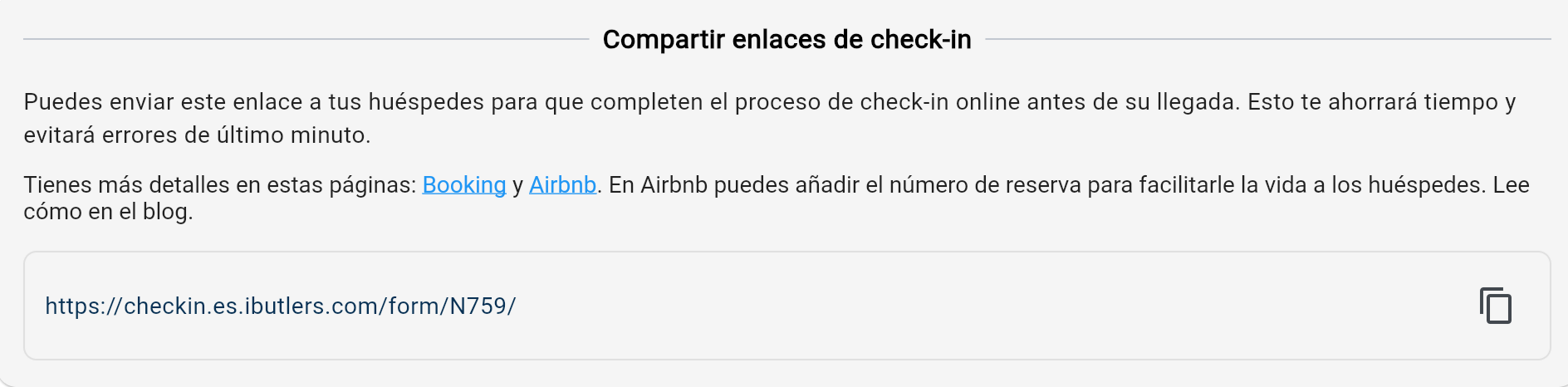
⚠️ Warning: Remember that each property has a unique link for the form.
9 – Add the booking confirmation code to the end of the link. Click the ‘Insertar’ (Insert) drop-down menu at the top right of the ‘Mensaje’ (Message) section and select ‘Código de confirmación’ (Confirmation code):
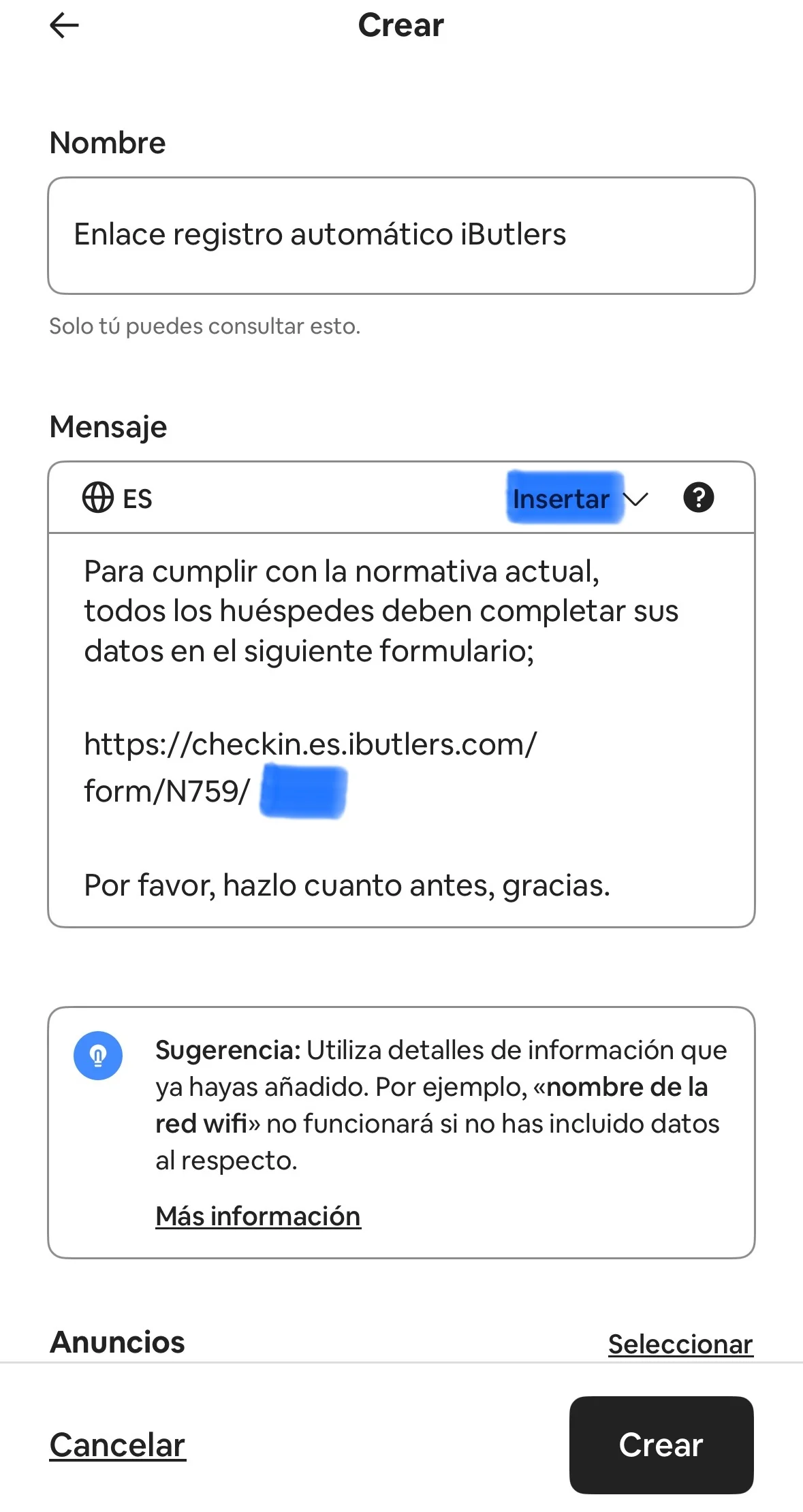
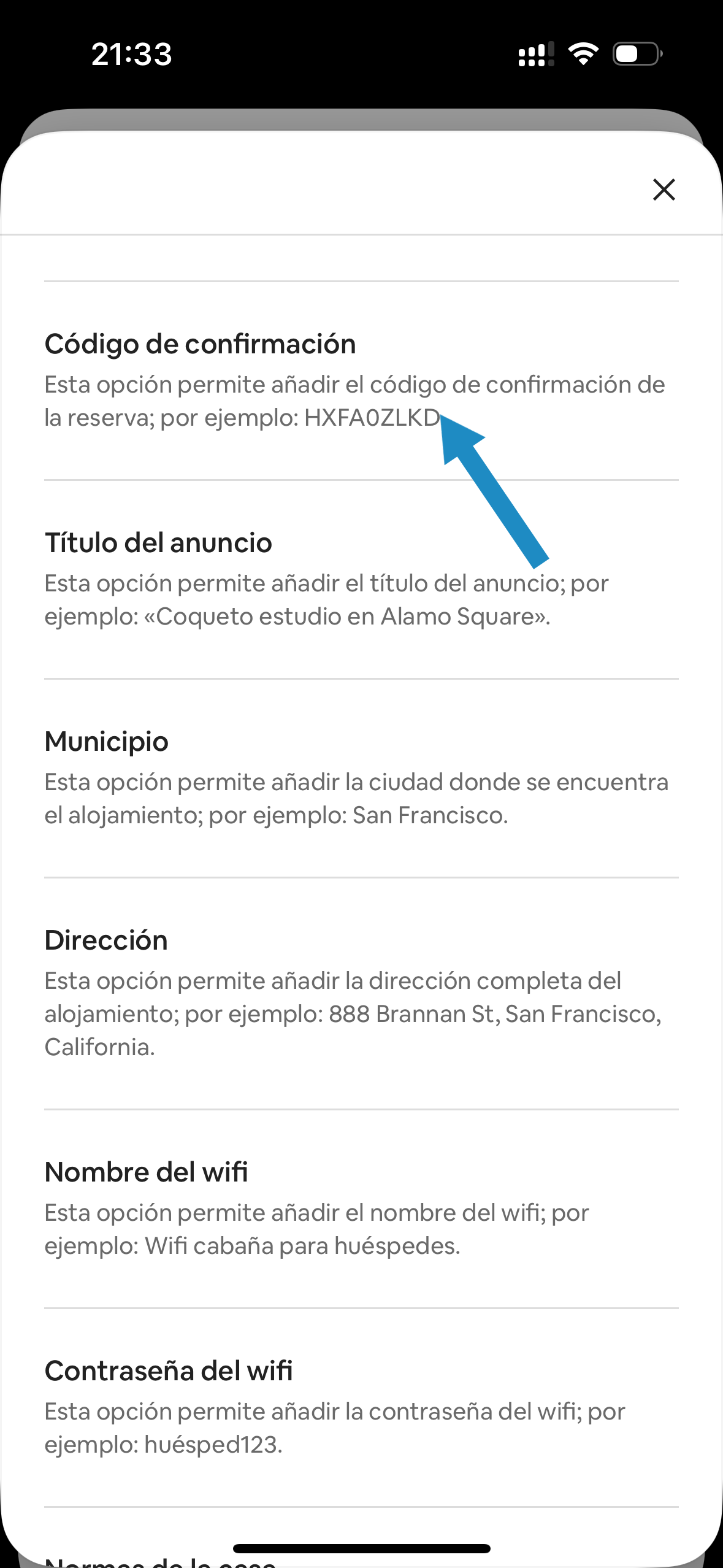
10 – Make sure there are no spaces between the link and the confirmation code. It should look like this:
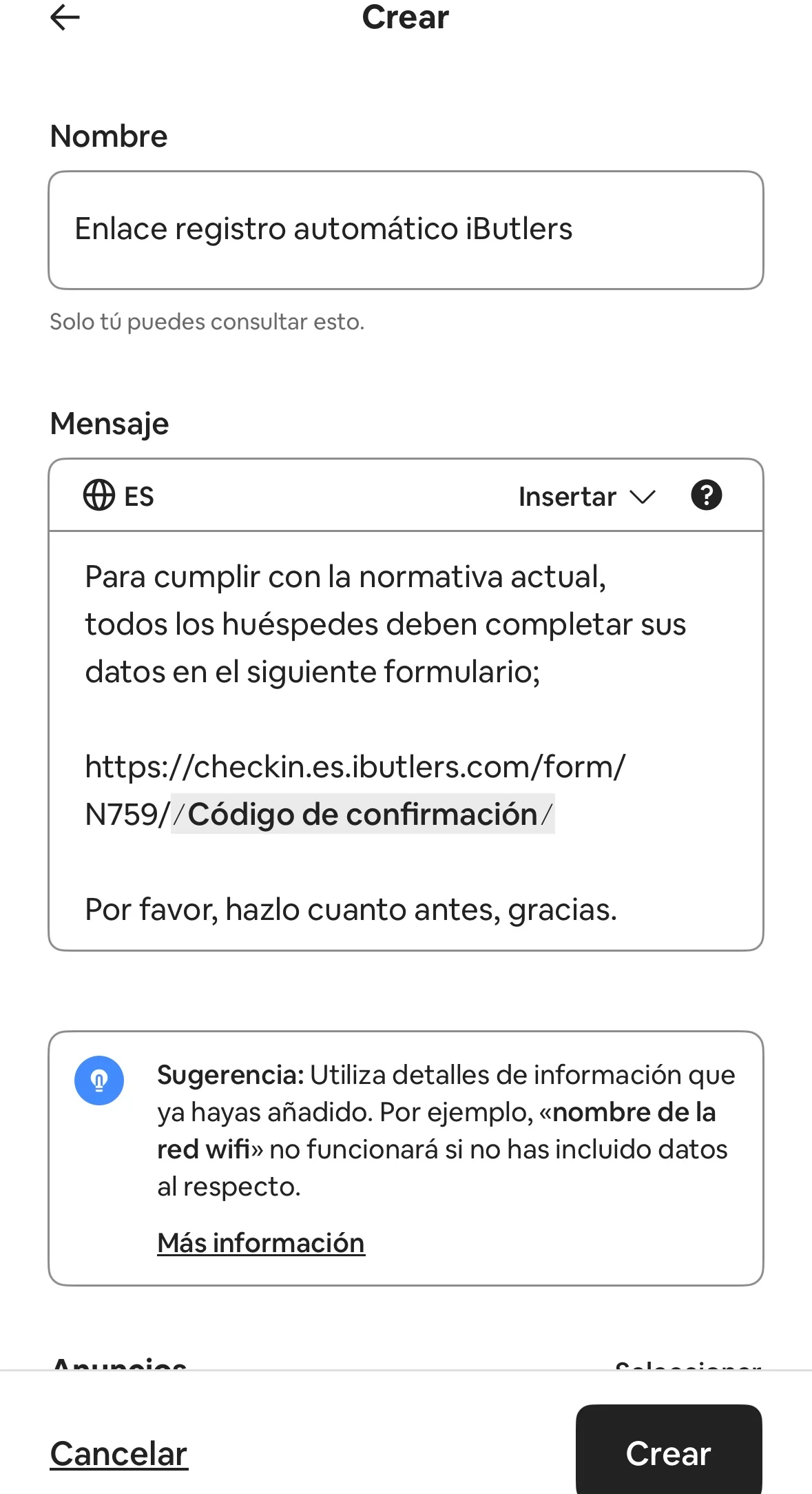
11 – Choose the listing for which this message will be sent.
⚠️ Warning: Remember that each property has a unique link for the form, so you must create a message for each listing with its own link.
12 – In the ‘Programación’ (Scheduling) section, select ‘Reserva confirmada’ (Booking confirmed) and 15 minutes later, in case you want to send another message as soon as the booking is confirmed.
13 – Check that all the information is correct and click ‘Guardar’ (Save).
From now on, whenever a guest confirms a booking, they will automatically receive this message with the link to the form on iButlers.com.
⚠️ Warning: We strongly recommend creating another automated message to be sent 2 days before arrival as a reminder.
If you have any questions, email us at soporte@ibutlers.com
🔍 Find out here how to do it for Booking
💡 iButlers, the best solution
Automate compliance with Royal Decree 933 2021 and the GDPR without complications. We collect only the data required by law, without storing copies of documents.
- Legal and secure identity verification
- Automatic submission of reports to the Ministerio del Interior
- Protecting your guests' privacy
✅ Visit our website or email contacto@ibutlers.com