Short-term rental information return. Importing iButlers data into N2.
How to import iButlers data into N2
This tutorial shows you how to download the report from iButlers and how to import it correctly into N2 to complete the Short-term rental information return.
1) Download the report from iButlers
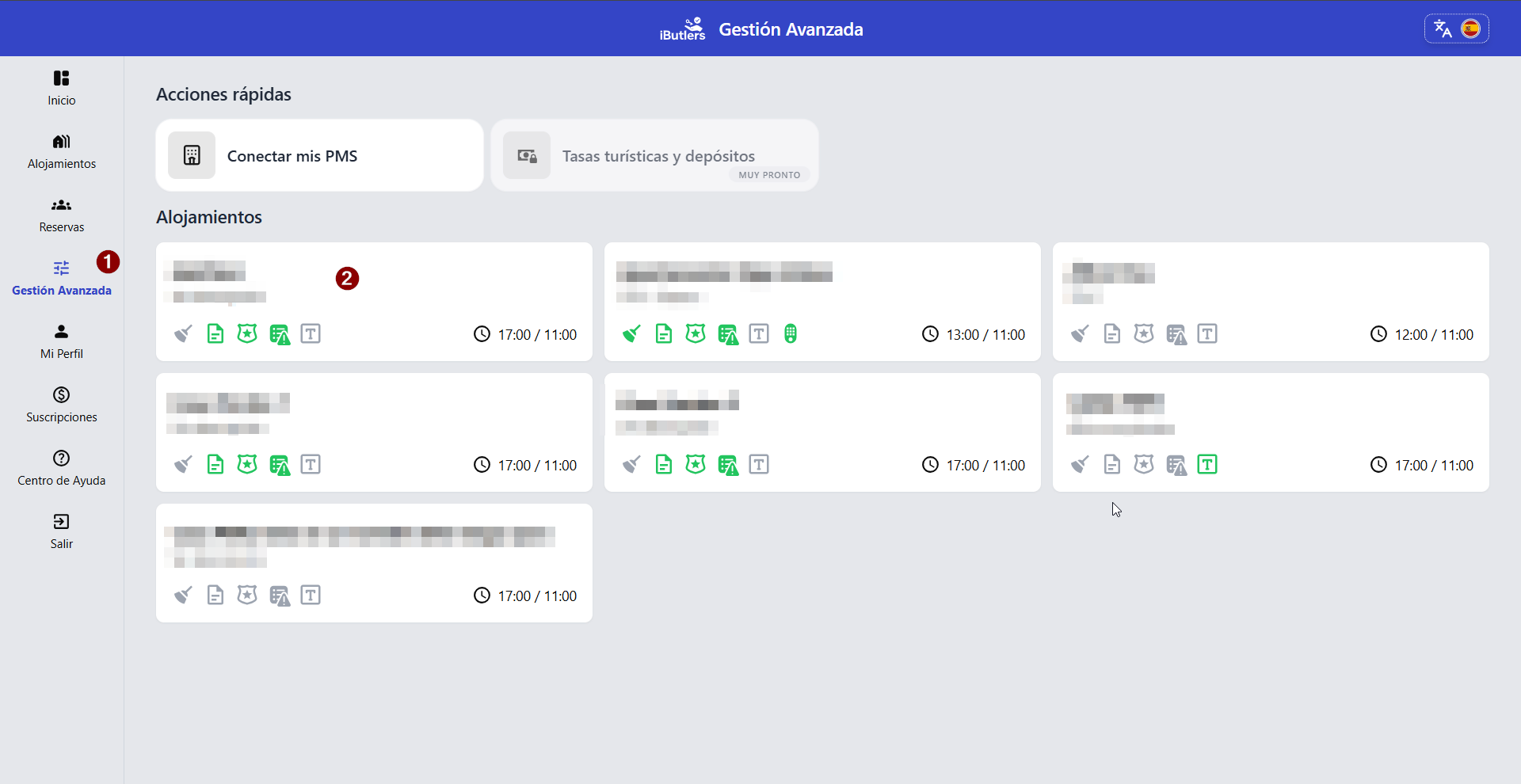
- Open the iButlers app.
- Go to “Gestión avanzada” (Advanced management).
- Open your property (select the property you want to declare).
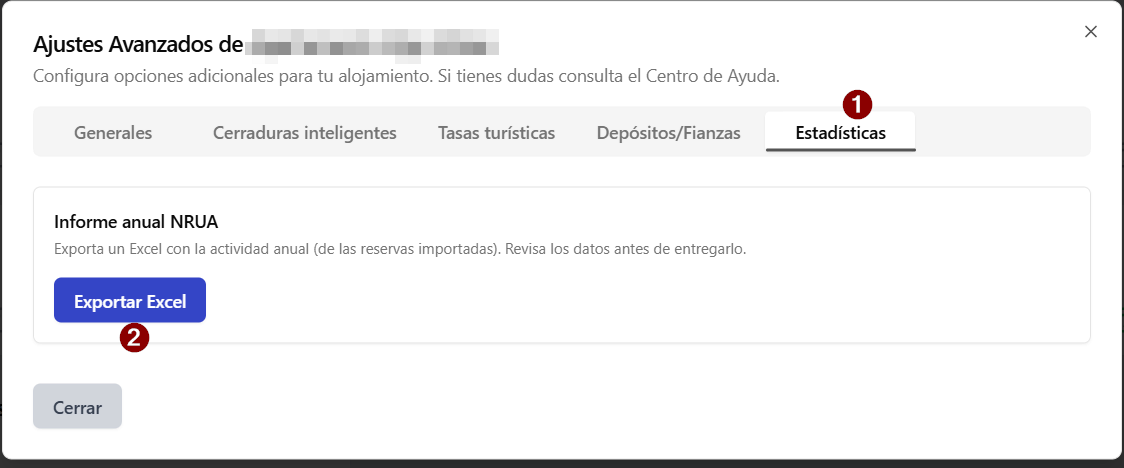
- Once you are in, go to the last tab, where you will see ‘Estadísticas’ (Statistics).
- From there, you can download the report. Follow the prompts until you have downloaded the CSV file containing the information.
⚠️ Important: Make sure the report correctly includes the NRUA.
If the NRUA is incorrect, you will not be able to import it into N2.
2) Import the report into N2
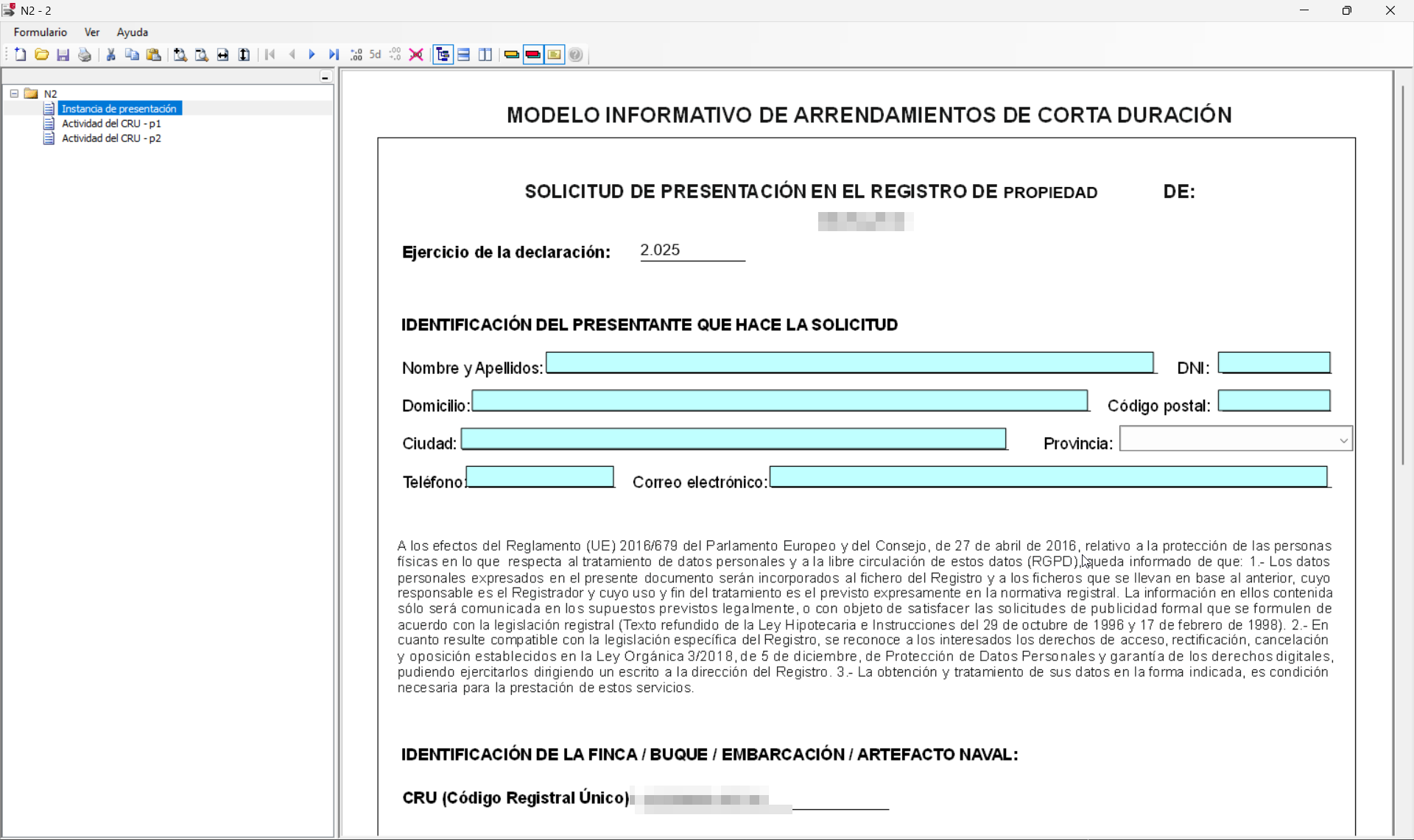
- Open the N2 application.
- Start a new form.
- Complete the information requested in the form.
✅ Important: Fill in all fields, except the booking rows (these are imported automatically)
3) Import bookings into the form
Once you are in the form in N2 (see the images below for a visual guide):
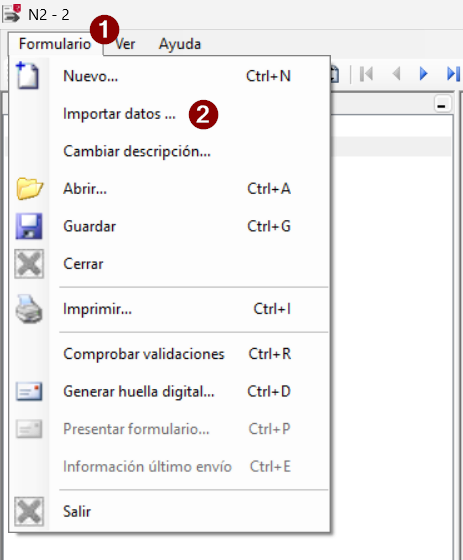
- In the top left, select:
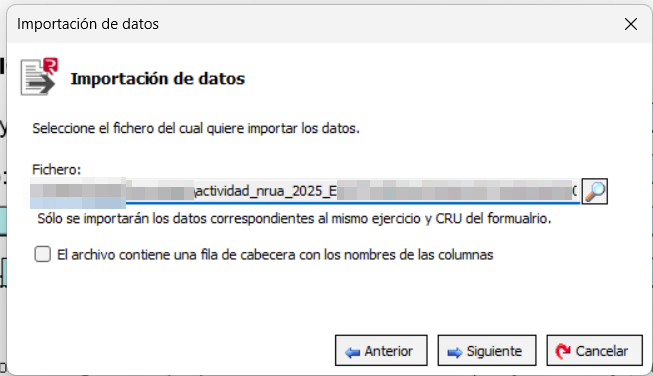
“Formulario” → “Importar datos” (Form → Import data) - A dialogue box will open:
- Select the file you downloaded from iButlers using the magnifying glass icon.
- Click “Siguiente” (Next) and then “Finalizar” (Finish).
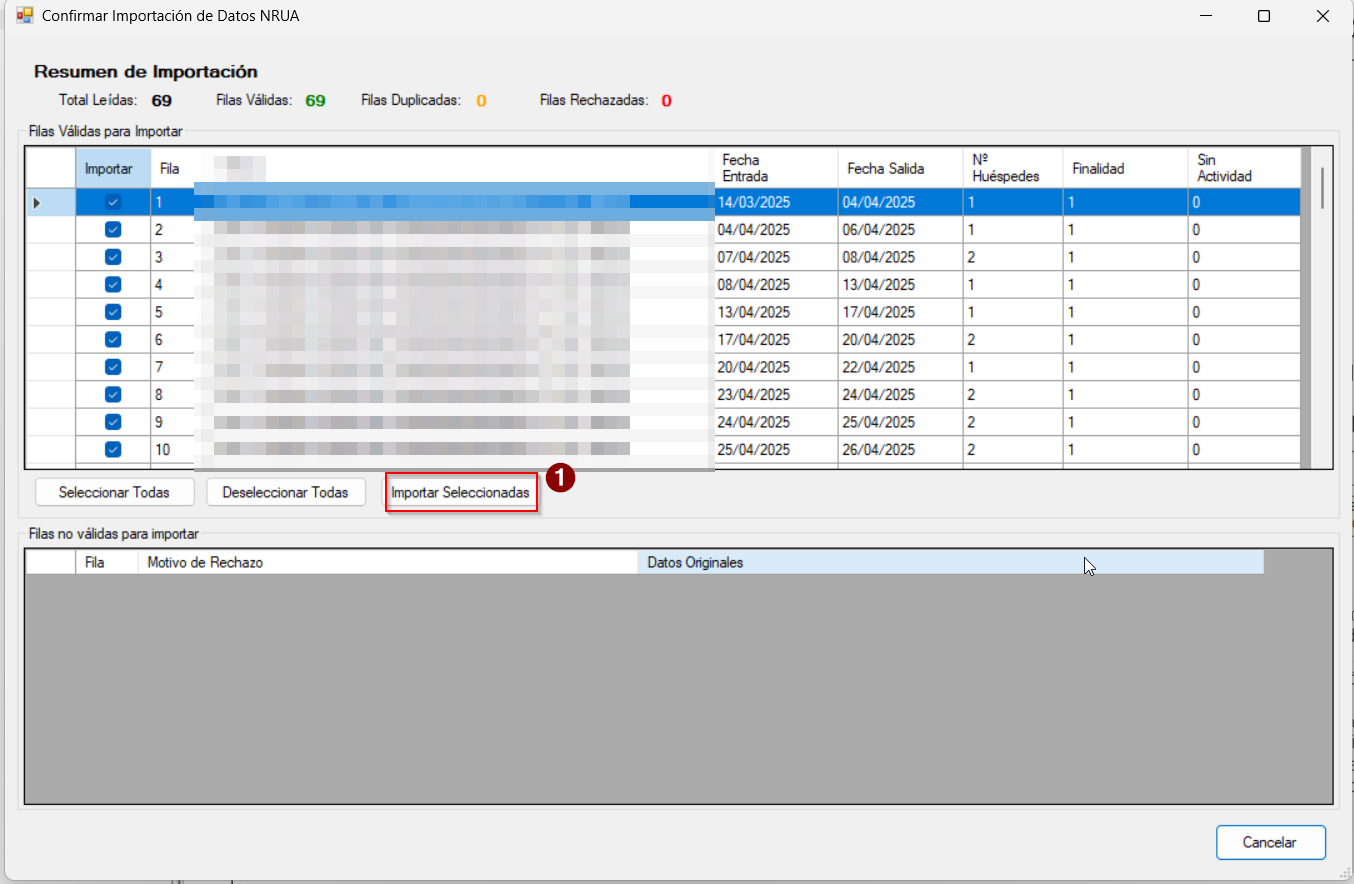
- A new window will appear:
- Click ‘Importar seleccionados’ (import selected items).
✅ Done! Your bookings are now loaded into the form.
⚠️ Very important: Check everything before submitting it to the authorities.
💡 iButlers, the best solution
Automate compliance with Royal Decree 933 2021 and the GDPR without complications. We collect only the data required by law, without storing copies of documents.
- Legal and secure identity verification
- Automatic submission of reports to the Ministerio del Interior
- Protecting your guests' privacy
✅ Visit our website or email contacto@ibutlers.com