Where can I find my document support number? For DNI/NIF and NIE
Where can I find my document support number?
The document support number is an identifying detail that may be required during identity verification. Its location varies depending on the type of document:
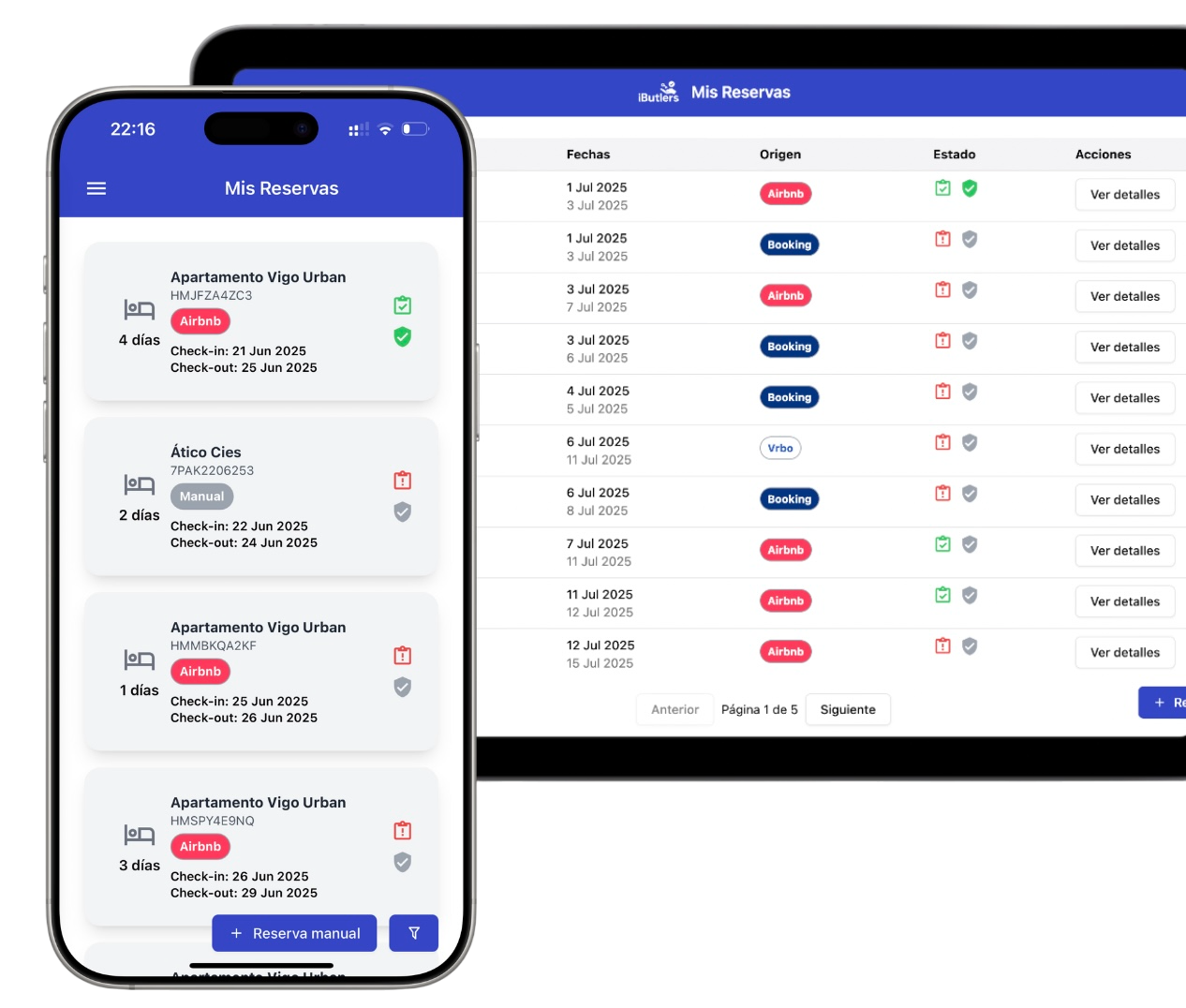
💡 Tired of guest registration? Did you know you can automate data collection and submission to the authorities?
With iButlers, you manage the entire process securely, legally and without hassle.
a) Electronic DNI (NIF)
If your document is an electronic DNI, the document support number appears on the front of the document.
- It consists of 3 letters and 6 digits.
- Example:
AAA123456
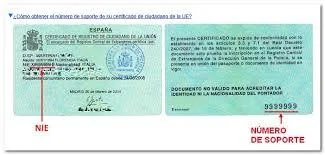
Use the image below to find it on your particular DNI format: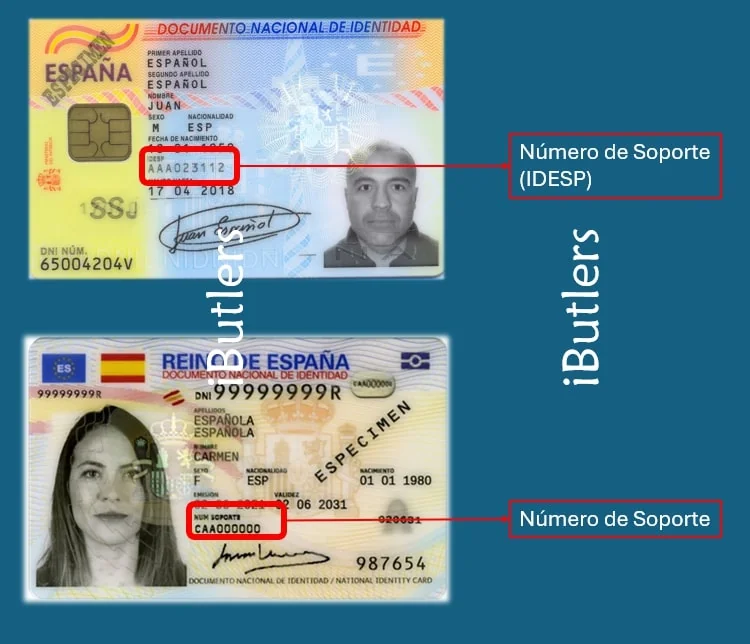
b) Foreigner’s card or residence permit (NIE)
If you have a foreign national’s identity card or a residence permit (NIE), the document support number is also on the front of the document.
- It starts with the letter E followed by 8 digits.
- If it has fewer than 8 digits, add leading zeros.
- Example:
E08765432
View the image that matches your card’s format: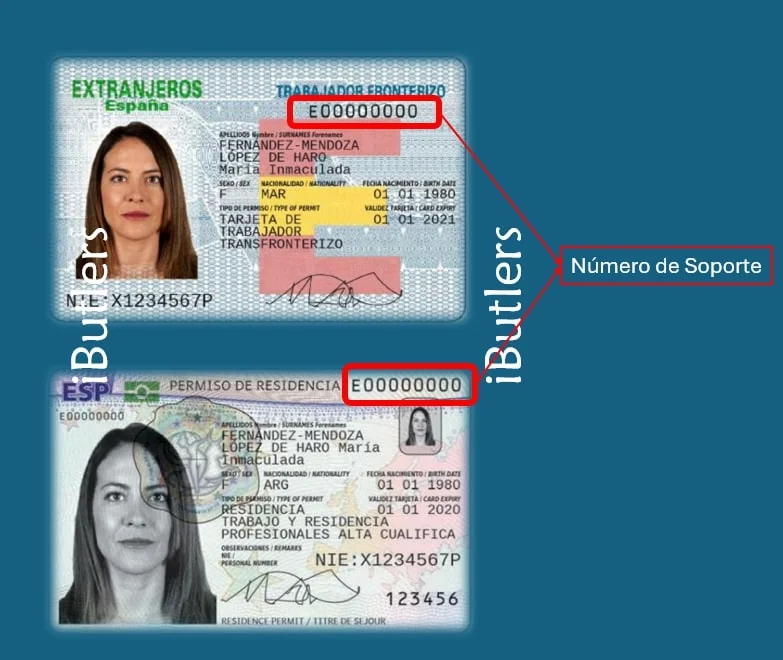
💡 If you are unsure when entering the document support number, make sure you copy it exactly as it appears on the document, without spaces or typing errors.
✅ Using iButlers? It is even easier
With iButlers you do not need to worry about which details to request or how to adapt them to the guest's document type.
- Each booking generates an online form personalised for the guest.
- The system automatically detects whether it is a DNI, NIE or passport.
- The system requests only the fields required by law for the relevant document type.
- The system avoids errors and makes check-in quicker while keeping it legal and secure.
👉 Visit iButlers.com or write to us at contacto@ibutlers.com to get started today.