Create manual bookings in iButlers
As well as managing bookings from external platforms, in iButlers you can also create your own manual bookings, whether received by phone, email, through your website or even in person.
This is particularly useful for keeping all your bookings under centralised control, automatically generating guest check-in forms and making their subsequent submission easier.
How do I create a manual booking?
Register manual bookings in SES HOSPEDAJES – Automatically synchronised from iButlers
- Log in to your account at app.ibutlers.com
- Go to the side menu and click the tab ‘Reservas’ (Bookings)
- Click the button ‘+ Reserva manual’ (+ Manual booking), at the bottom right
Next, simply complete the required fields:
- Property where the guest will stay
- Arrival date (check-in) and departure date (check-out)
- Booking number (you can let it be generated automatically or enter your own if you already have one)
- Lead guest's name
- Total number of people staying
- Guest contact email
- Payment method (cash, card, bank transfer, etc.)
Once saved, click ‘Enviar a SES Hospedajes’. The booking will be recorded in your dashboard, ready to generate the corresponding guest registration form. You just need to send the guest the form link, or the property's general link and the booking code.
Booking types and mandatory reporting
At iButlers, we distinguish between two types of bookings based on their source: direct and indirect. This distinction matters because it determines whether you must report booking details to the authorities yourself (through iButlers), or whether the platform already does this automatically (Airbnb, Booking, etc.).
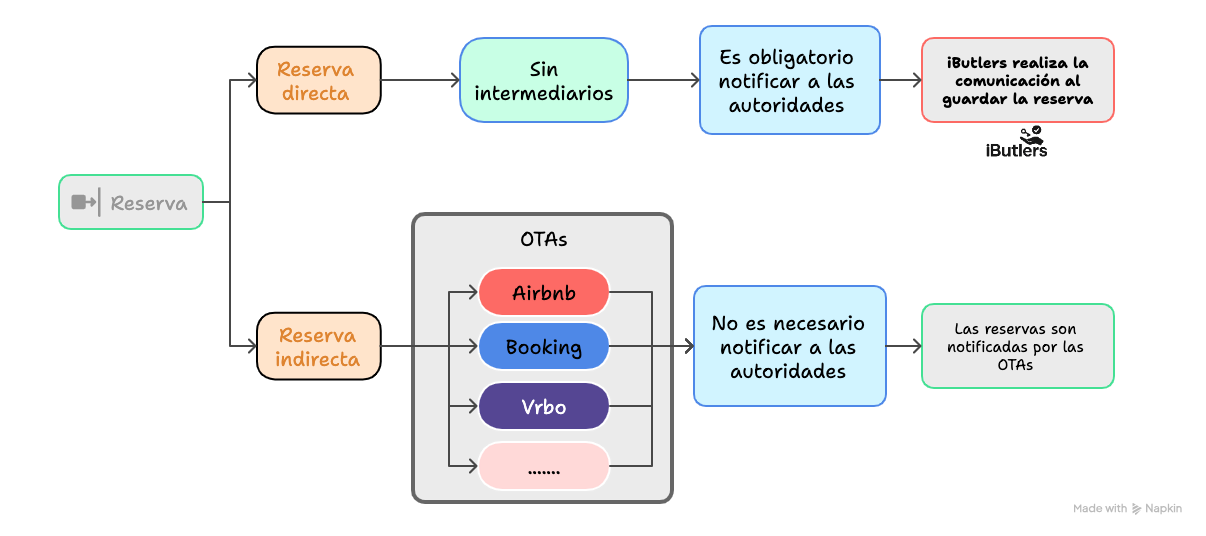
Direct bookings (your own or manually entered)
These are bookings you receive without intermediaries: by phone, email, social media, your website or in person.
➡️ In this case, you are required to notify the authorities of the booking details
How do you do this in iButlers?
- Go to the tab ‘Reservas’ (Bookings)
- Create a manual booking
- To save it, click “Guardar / Enviar a Ministerio” (Save / Send to the Ministry).
This automatically notifies the relevant authorities.
Indirect bookings (Booking, Airbnb, other OTAs)
These bookings come from online platforms and have already been reported automatically by those platforms.
➡️ You do not need to submit the data to the authorities again through iButlers.
What do you need to do?
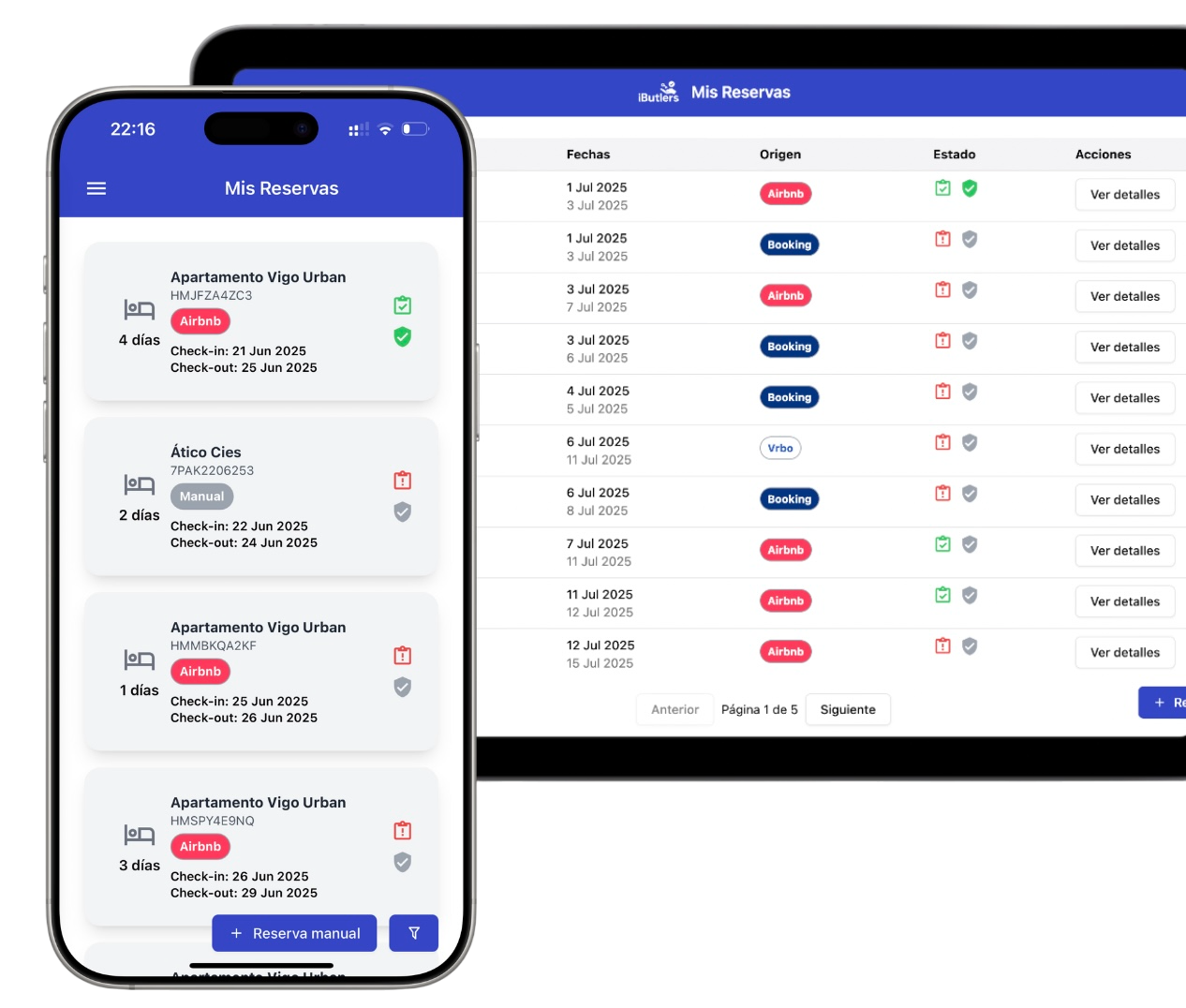
- Make sure the booking appears in your dashboard
- Otherwise, check your iCal calendar; the information will be imported and displayed automatically
- All you need to do is click “Guardar” (Save) to save the calendar, without submitting anything else.
What is the difference between bookings and guest reports?
It is important to be clear that:
- A booking is the record of a future stay.
- The guest registration form is the official document containing guests’ personal details, required by law for all tourist accommodation.
Whether the booking is direct (manual) or comes from an online platform (OTA), the guest registration form must be generated and sent to the competent authorities within the first 24 hours after check-in.
💡 iButlers, the best solution
Automate compliance with Royal Decree 933 2021 and the GDPR without complications. We collect only the data required by law, without storing copies of documents.
- Legal and secure identity verification
- Automatic submission of reports to the Ministerio del Interior
- Protecting your guests' privacy
✅ Visit our website or email contacto@ibutlers.com