
Tourist taxes
Automate tourist taxes
Calculating tourist taxes can be complex: they vary by country, region, guests’ ages and type of accommodation. With iButlers, everything is calculated automatically and you can integrate it directly into your online check-in process.
✓
Automatic calculation based on regulations, location, exemptions and type of stay.
✓
Integrated payment collection as part of online check-in, with no separate processes.
✓
Fewer manual errors and a more professional experience for the guest.
A feature designed to take work off your hands
From collecting data to taking payment and completing the final registration, everything is set up so you do not have to check calculations manually or worry about making mistakes.
Adapts to each destination
It calculates the tax according to the regulations that apply to each property.
Takes exemptions into account
Guests’ ages and other factors that affect the final amount.
Improves the experience
The guest can clearly see the amount and complete the process easily.
How the process works
Tourist tax collection fits naturally into the check-in process.
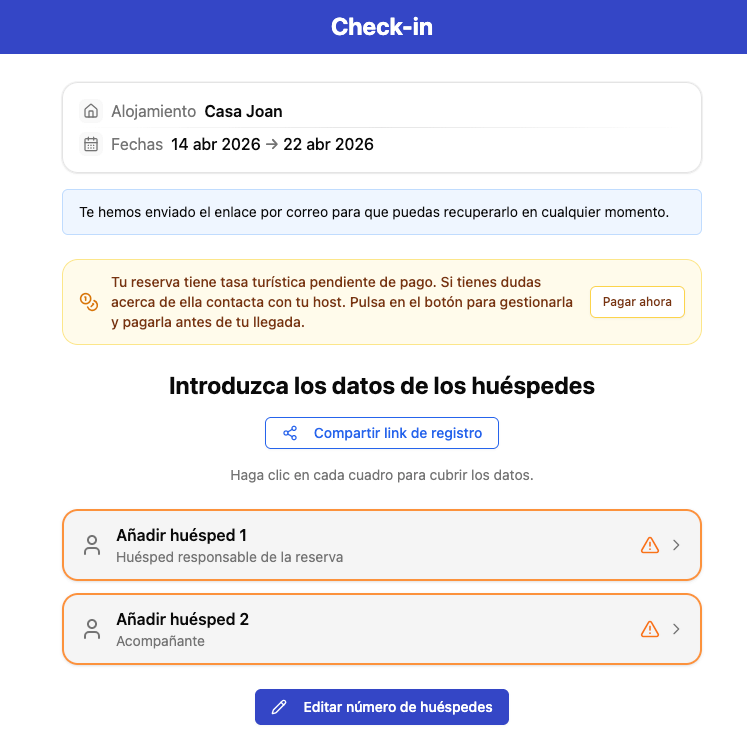
1
Pending form
Guests will see that the tourist tax step still needs to be completed as part of the check-in process.
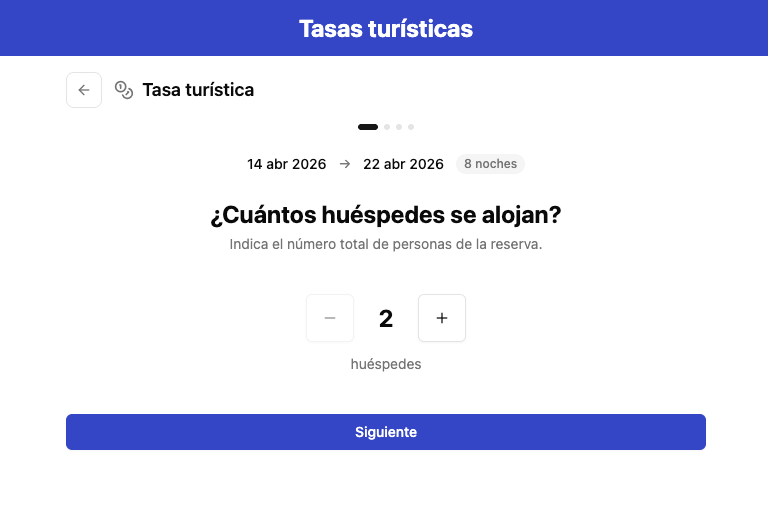
2
The guest confirms the number of guests
At this step, the guest confirms how many people are included in the stay.
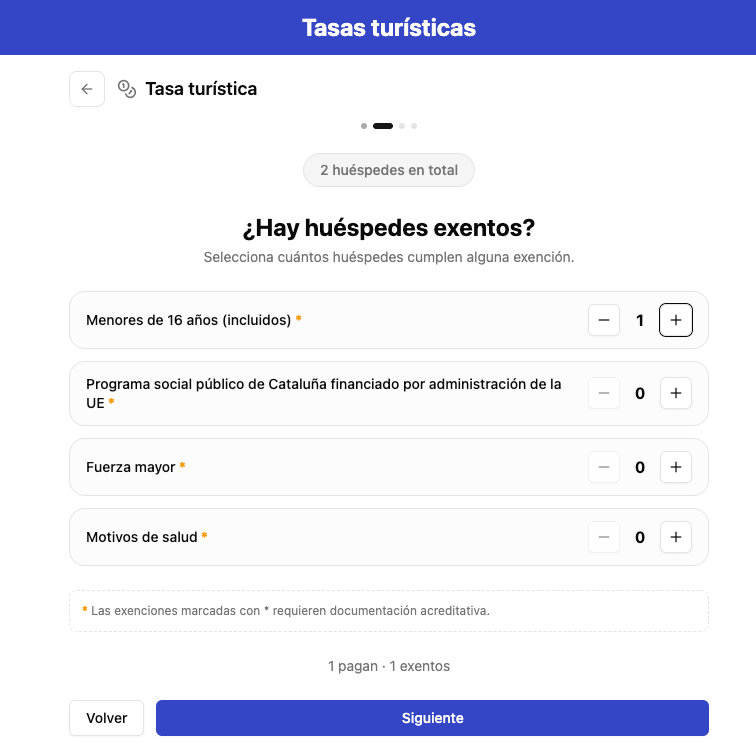
3
Exemptions apply
The system automatically adjusts the calculation according to age, destination, property type and regulations.
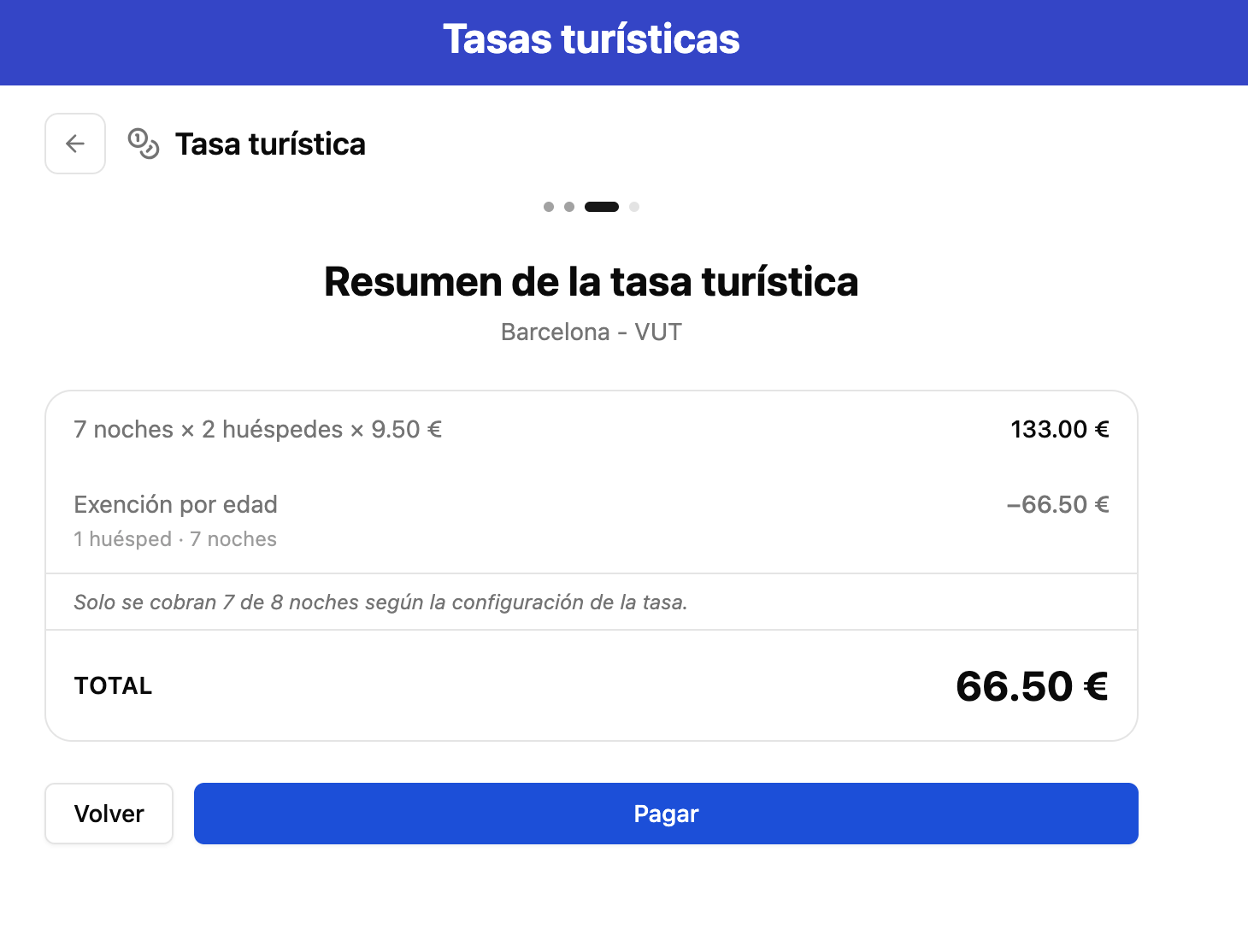
4
The guest views the amount and pays
The guest sees the automatically calculated amount and makes the payment.
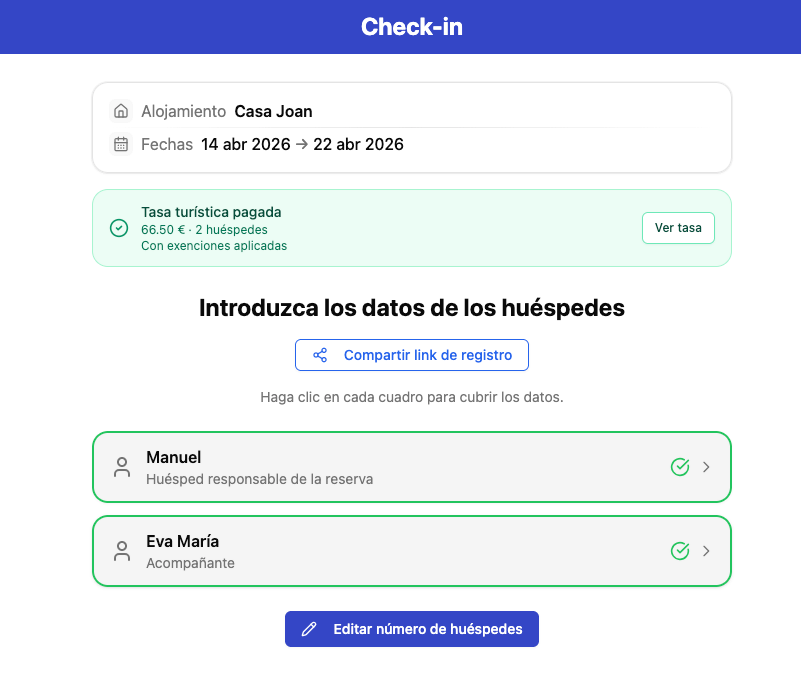
5
Form completed
The status is updated to completed and paid, with all information correctly recorded.
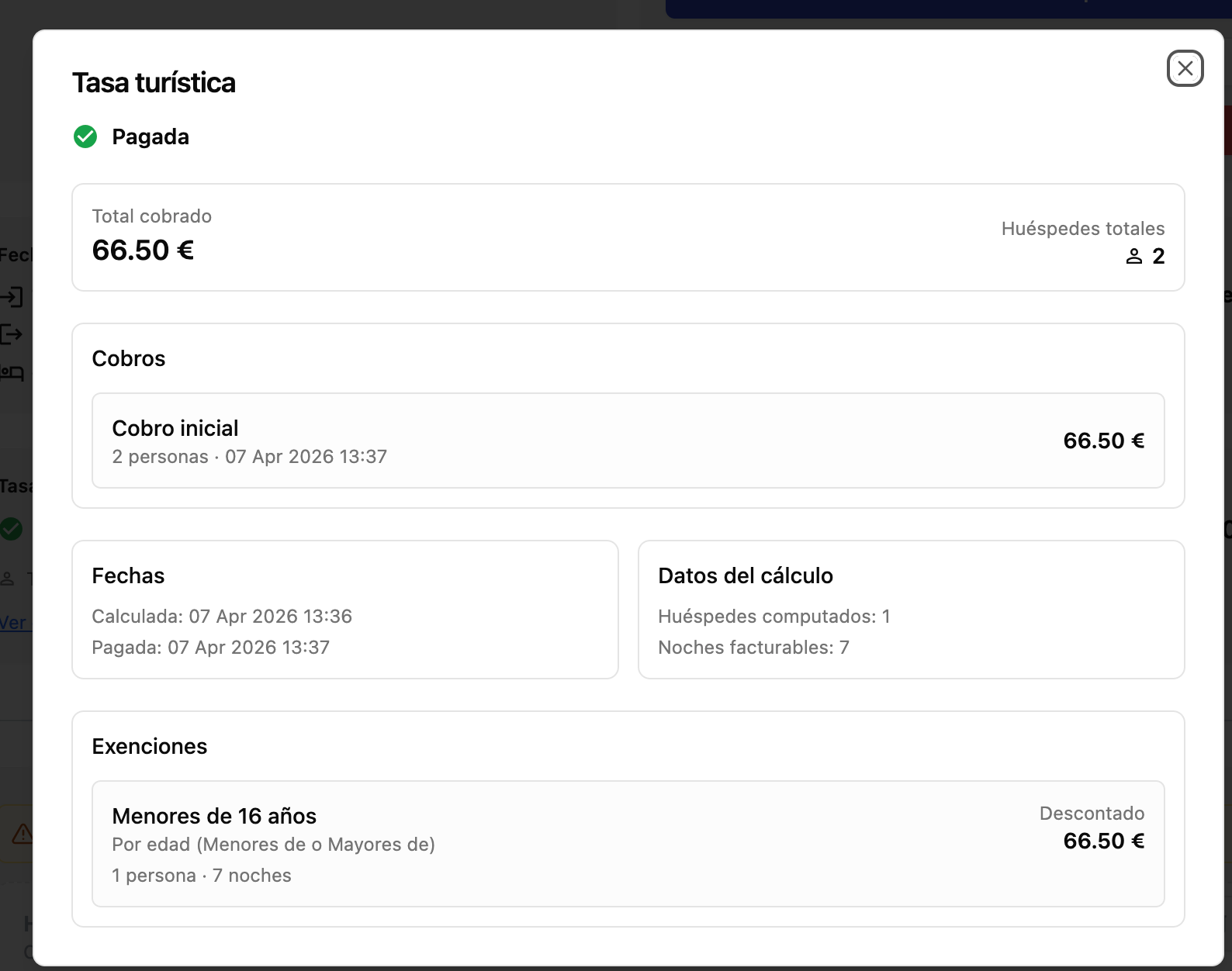
6
Proof of payment
The receipt becomes available automatically when the process is complete.
Frequently asked questions
Can I change the amount of tourist tax my guests have to pay?
Yes. We provide the tourist tax structure for your area, based on our database and in accordance with official requirements. You can also change the amounts, as the competent authorities may update them fairly frequently.
Automate tourist tax from today
Calculate amounts, apply exemptions and collect payment during online check-in without making your operations more complex.
×

⏱ Check-in in seconds
Let your guests enter their details before arrival. Then, at check-in, all you need to do is verify them, reducing waiting times and making the experience smoother.
🔒 Comply with the LOPD and GDPR: protect your guests' data
Paper gets lost, deteriorates and is more likely to fall into the wrong hands. With a digital workflow such as iButlers you reduce risks and comply with the regulations: you obtain informed consent, explain how the data is used and guarantee its security and confidentiality.
- Purpose limitation: use the data only for check-in and to meet legal obligations.
- Data minimisation: collect only what is strictly necessary.
- Accuracy: correct, up-to-date information.
- Limited retention: keep them only for the period required by law.
Tip: replace paper forms with verified digital records. They are more secure, traceable and compliant with current regulations.
Submission to the relevant authorities
iButlers not only registers your guests, but also automatically sends their data to the relevant authorities. Comply with the regulations simply and efficiently, without manual processes.
Still have questions?
Contact us and we will answer your questions.